Espadade Depiedra enMinecraft
Espada de De piedra encantada | Java Edition (JE) y Bedrock Edition (BE)
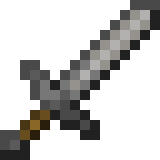
lista de encantamientos
| categoría | nombre | descripción | métodos | nivel máximo | incompatible con |
|---|---|---|---|---|---|
| Daño | Filo | Aumenta el daño de ataque infligido a las criaturas |   | 5 | Golpe destructorPerdición de los artrópodos |
| Golpe destructor | Aumenta el daño de ataque contra criaturas no muertas (zombis, esqueletos, esqueletos wither, cerdos zombis, ahogados, husks, extraviados, fantasmas, withers y zoglins) | | 5 | FiloPerdición de los artrópodos | |
| Perdición de los artrópodos | Aumenta el daño contra artrópodos (arañas, arañas de cueva, lepismas, endermites y abejas) | | 5 | FiloGolpe destructor | |
| Aspecto ígneo | Prende fuego al objetivo | | 2 | — | |
| Barrido | Aumenta el daño del ataque de barrido | | 3 | — | |
| Durabilidad | Irrompibilidad | Aumenta la durabilidad del objeto al reducir la probabilidad de pérdida de durabilidad | | 3 | — |
| Reparación | Usa puntos de experiencia para reparar tus herramientas, armas y armaduras | | 1 | — | |
| Interacción | Retroceso | Aumenta el empuje infligido a los enemigos | | 2 | — |
| Botín | Saqueo | Aumenta la cantidad de botín que sueltan las criaturas al morir | | 3 | — |
| Maldición | Maldición de desaparición | El objeto desaparece en lugar de caer al suelo cuando mueres | | 1 | — |
Stone Sword Upgrade
Stone swords are the first real damage jump after wood, and cobblestone is easy to stockpile while mining for early iron.
Mejores encantamientos para De piedra Espada
• Esenciales
Estos encantamientos son imprescindibles para un rendimiento óptimo:
• Situacionales
Útiles para escenarios específicos o estilos de juego:
Useful for cooking meat drops, but can be annoying in some situations
Better than Sharpness against zombies, skeletons, and wither
Rarely recommended due to limited mob types
Can make combat harder by pushing enemies away
Cómo encantar una espada de De piedra en Minecraft
• Mesa de encantamientos
La mesa de encantamientos es el método principal para encantar un De piedra Espada en el modo supervivencia. Ideal para aplicar encantamientos aleatorios usando lapislázuli y niveles de experiencia. Coloca estanterías alrededor de la mesa (hasta 15) para desbloquear encantamientos de nivel superior. Los encantamientos ofrecidos son aleatorios, pero están influenciados por el tipo de objeto y el nivel de encantamiento elegido.
• Yunque
Un yunque te permite combinar libros encantados con tu De piedra Espada o fusionar dos objetos encantados. Ideal para tener control preciso sobre qué encantamientos aplicar y para combinar múltiples encantamientos en tu De piedra Espada. Requiere niveles de experiencia y se vuelve más costoso con cada uso debido a la penalización por trabajo previo. Esencial para crear objetos con múltiples encantamientos.
Los libros encantados se pueden encontrar en cofres de botín, obtener mediante la pesca o intercambiar con aldeanos bibliotecarios. La mejor fuente para encantamientos específicos que necesitas para tu De piedra Espada, especialmente los raros como Reparación. Usa un yunque para aplicar el encantamiento del libro a tu De piedra Espada. Comerciar con bibliotecarios es la forma más confiable de obtener los encantamientos exactos que deseas.
Cómo encantar una espada de De piedra en Minecraft con comando
El comando /give te permite dar instantáneamente un De piedra Espada con encantamientos específicos a ti mismo u otros jugadores. Ideal cuando necesitas control preciso sobre los niveles de encantamiento, quieres saltarte las limitaciones del modo supervivencia o necesitas crear un De piedra Espada imposible de obtener en el juego normal. Perfecto para el modo creativo, creación de mapas y prueba de combinaciones de encantamientos.
/give <player> <item> [amount]
/give @p stone_sword 1
@p apunta al jugador más cercano
@s te apunta a ti mismo
Reemplaza '<player>' con tu nombre de jugador o usa un selector de objetivo
Selecciona un encantamiento de la tabla de arriba
Elige un nivel de la tabla de arriba (el nivel máximo varía según el encantamiento)
El comando /enchant aplica un único encantamiento al De piedra Espada que el jugador tiene en la mano principal. Ideal para añadir encantamientos rápidos en modo supervivencia o creativo. A diferencia de /give, solo funciona con un De piedra Espada que ya esté en el inventario del jugador y solo puede añadir un encantamiento a la vez, por lo que es ideal para tareas de encantamiento simples o cuando quieres mantener las propiedades existentes del objeto.
/enchant <player> <enchantment> [level]
/enchant @s sharpness 5
@s te apunta a ti mismo
@p apunta al jugador más cercano
Reemplaza '<player>' con tu nombre de jugador o usa un selector de objetivo
Selecciona un encantamiento de la tabla de arriba
Elige un nivel de la tabla de arriba (el nivel máximo varía según el encantamiento)